Auto registry system
Auto registering system can be used in Skyreal VR to create your own custom extension system.
How to create an new extension point
To declare a new extension point:
- create a new extension plugin (called "SkrBaseExtensionPlugin" in this example)
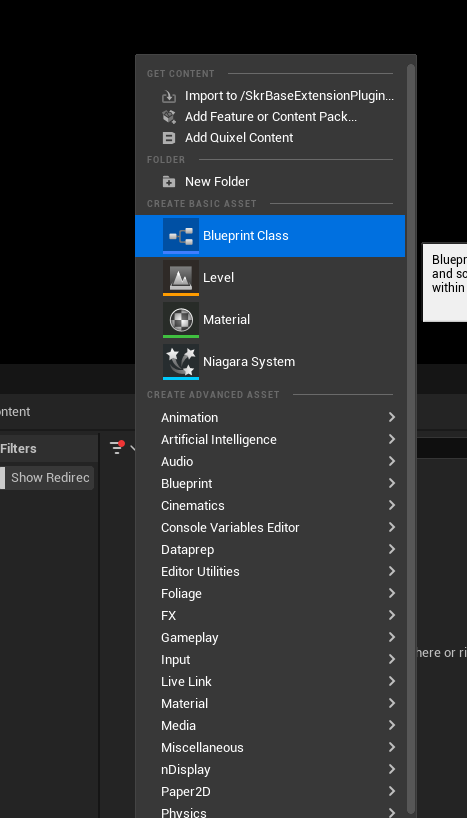
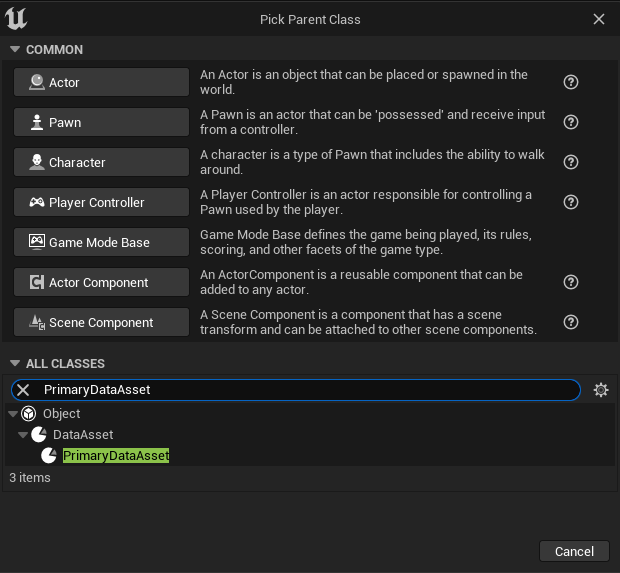
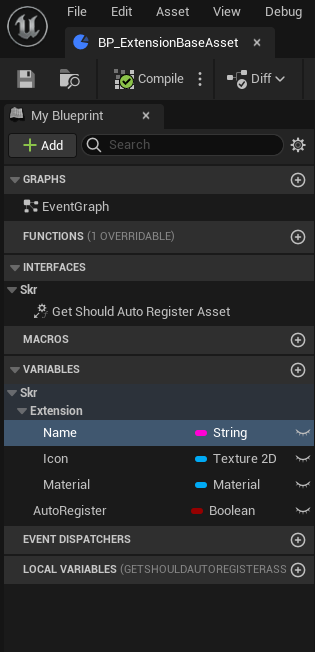
- Create a new blueprint in the extension plugin that inherits from PrimaryDataAsset (called "BP_ExtensionBaseAsset" in this example)
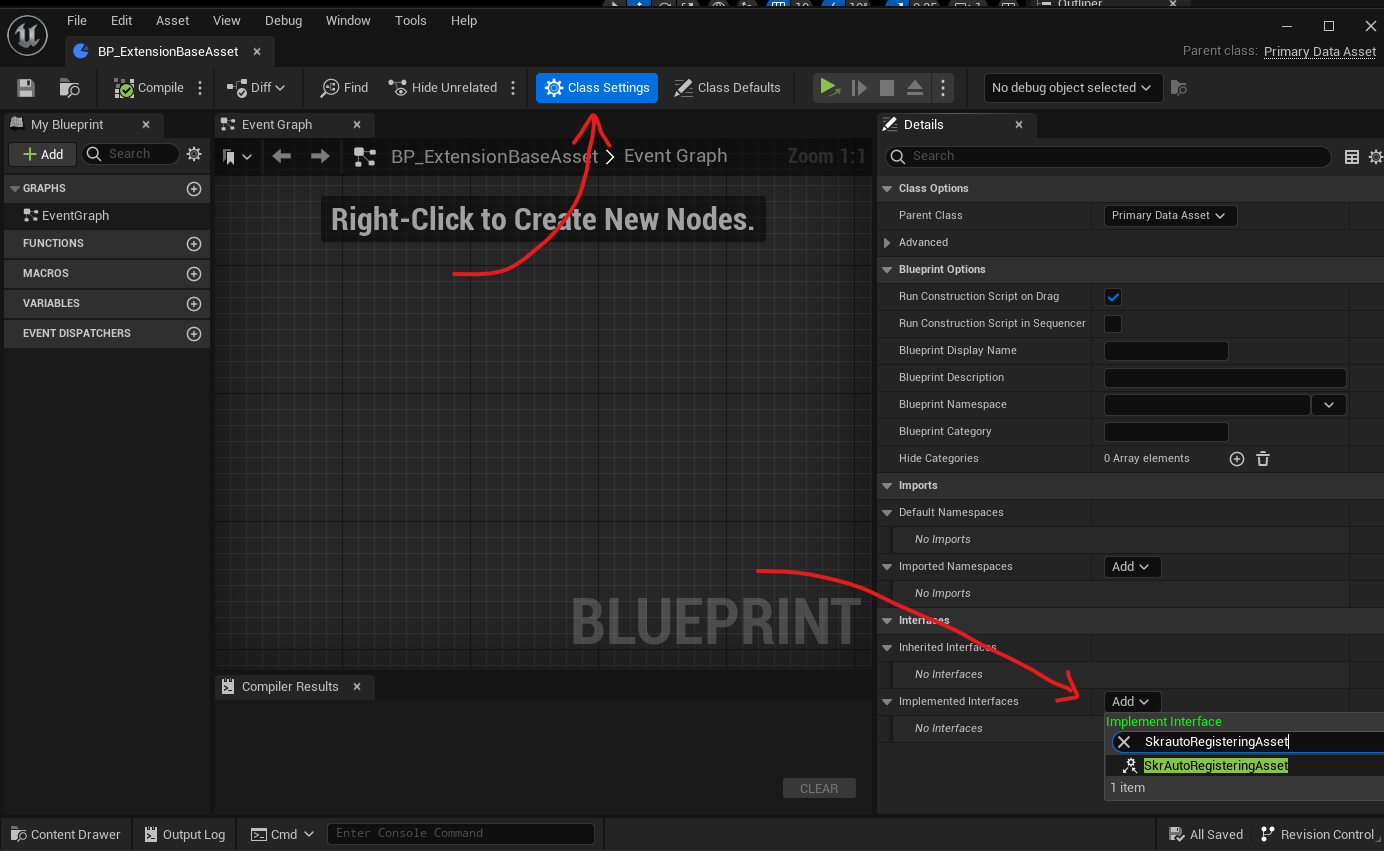
- Implement interface SkrautoRegisteringAsset
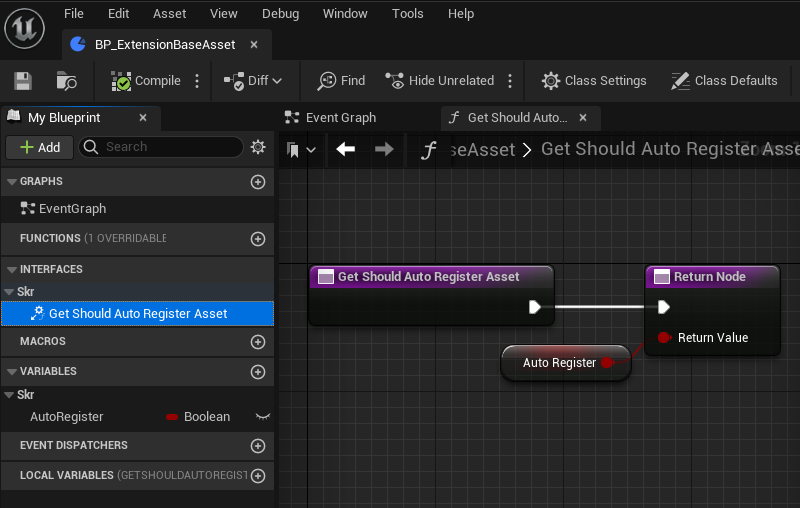
- Fill method GetShouldAutoRegisterAsset with a custom boolean variable.
- Add any variable in the blueprint that should be accessible in the extension you want's to create
How to retreive all extensions DataAsset
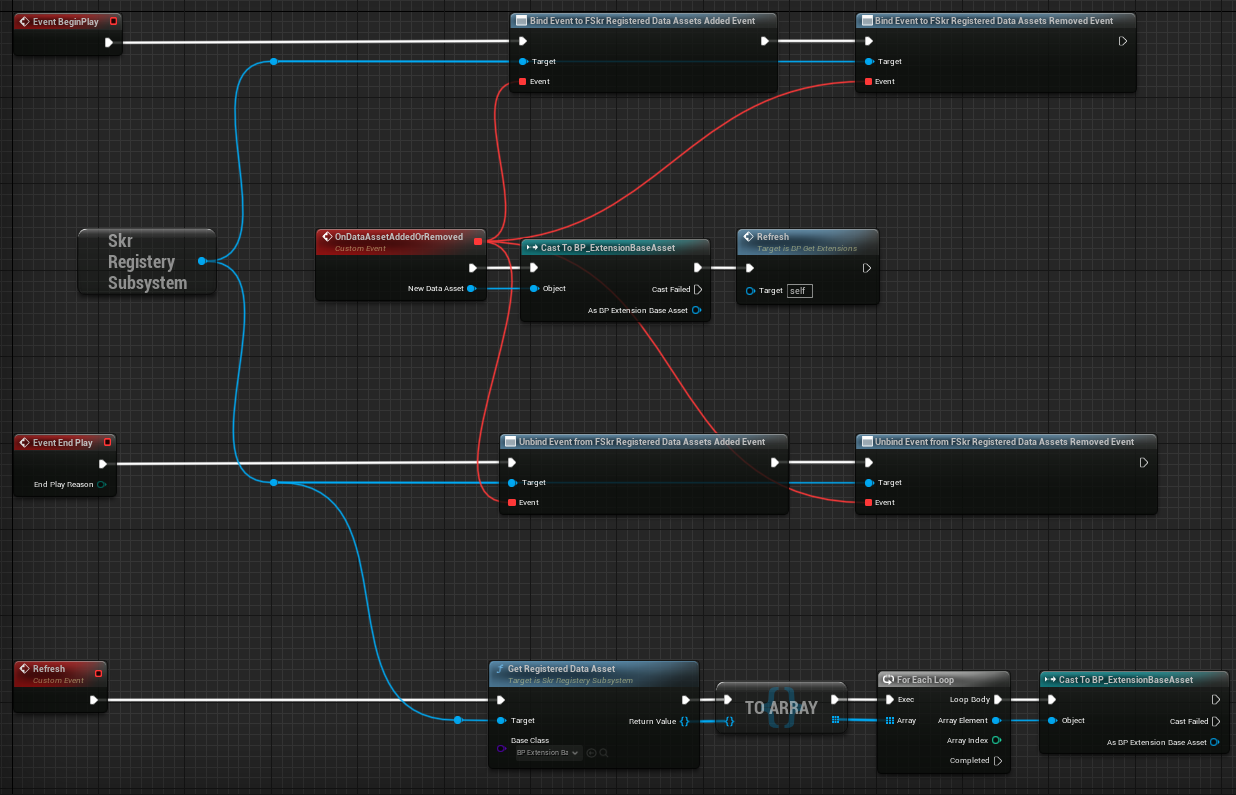
To retreive all the assets that extdans the PrimaryDataAsset created in the previous step (called "BP_ExtensionBaseAsset" in this example), write in a blueprint code:
- Get the SkrRegisterySubSystem
- If you need dynamic reloading of the exnteions, bind (an unbind) to FSkrRegisteredDataAssetsAddedEvent and FSkrRegisteredDataAssetsRemovedEvent
- Call the method GetRegisteredDataAsset and specify the type in the base class ("BP_ExtensionBaseAsset" in this example)
How to create an extension
To extend your own extension:
- Create a new extension plugin (called "SkrExtensionExtensionPlugin" in this example) and add the "RegistrableAssets" directory in the plugin content.
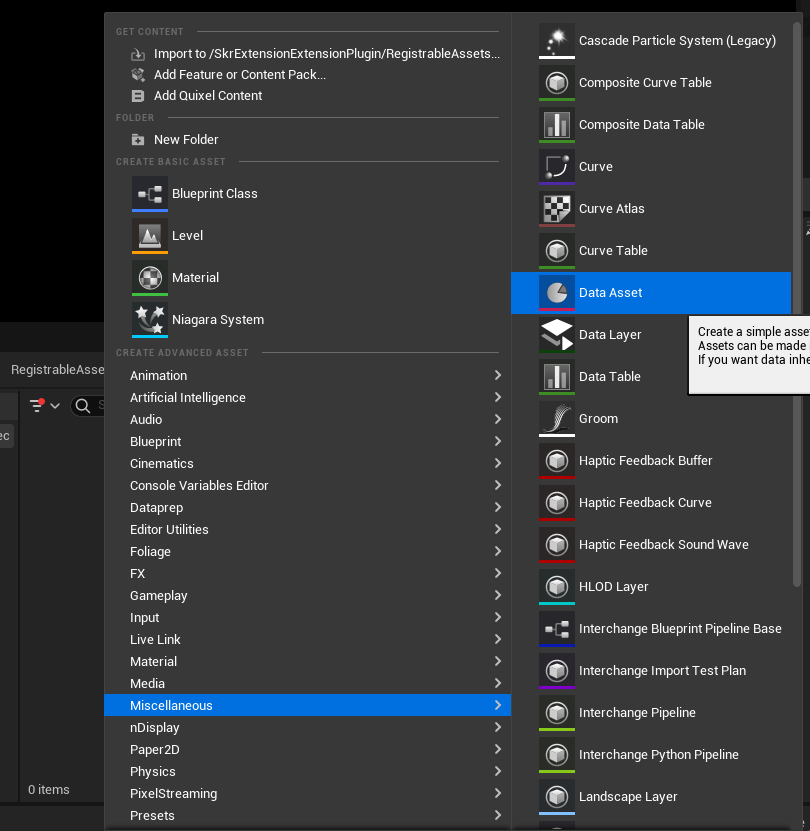
- Create a new DataAsset that's inherits from your PrimaryDataAsset blueprint (called "BP_ExtensionBaseAsset" in this example)
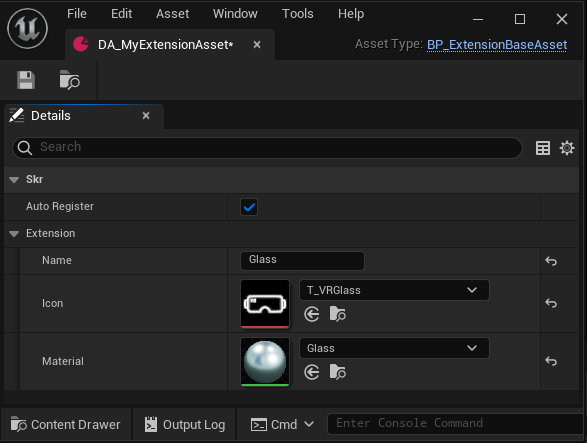
- Fill the data asset with some properties
During a Skyreal VR session, be sure to import the base extension plugin (called "SkrBaseExtensionPlugin" in this example) before the other extensions plugin (called "SkrExtensionExtensionPlugin" in this example).