Settings
Game settings
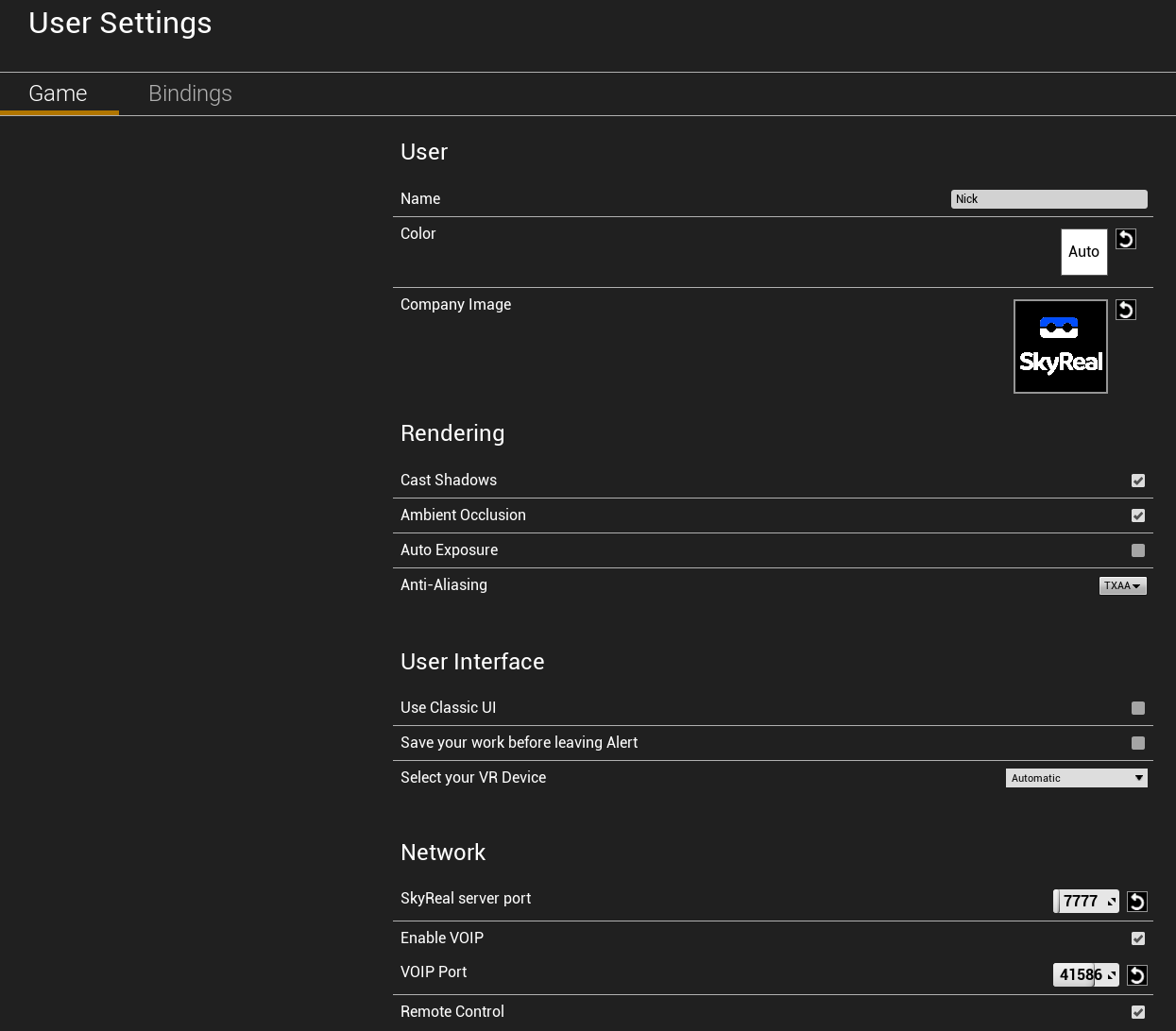
User
You can set the name and color user in collaborative mode.
The company image is displayed in the back of the manikin you drop.
Rendering
Contains your default rendering parameters. For more information check this link
User Interface
Use the classic UI: use this param to load the legacy loader.
Save your work before leaving Alert: check it if you want a save reminder before leaving Skyreal VR.
Select your VR Device: choose the VR controllers model you want to display.
Network
Skyreal VR server port: change the network port used for collaboration.
Enable VOIP: enable voice in Skyreal VR.
VOIP Port: change the network port used for by the Teamspeak server.
Remote Control: enable remote control.
Bindings
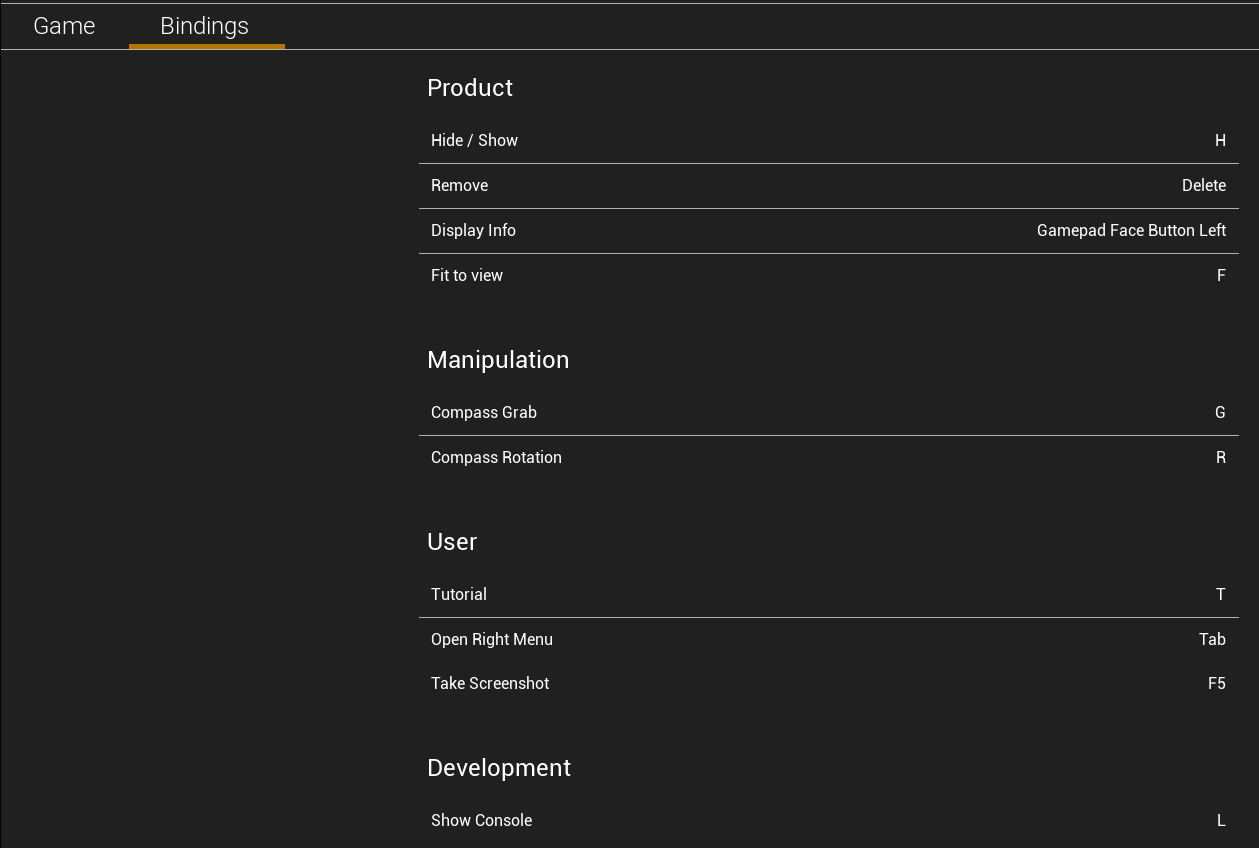
These are the available bindings, you are free to change them.