Start a Collaborative Session
What is it?
A collaborative session connects multiple Skyreal VR users to the same simulation. The goal is to allow these users to interact in the same environment around a product, all in VR. These users can add annotations, manipulate objects and do much more together.
How to do it?
To start a collaborative session, a computer using Skyreal VR must run as a server and will act as a host for the session. Other computers with Skyreal VR will then be able to connect as clients to the server.
Requirements
All of the computers must be able to communicate. If you wish to collaborate between two distinct places and networks, you will have to set up a VPN connexion (or contact your IT). For any collaboration issue see the troubleshooting.
All computers must use the same simulation files. This can be achieved by:
-
Placing the simulation files on a shared folder accessible to all of the computers
OR
-
Copying the simulation files on every single computer (this method is longer to deploy but loads faster in Skyreal VR)
Start the server
One computer will run as a server. It is recommended to use an Ethernet connexion for the server.
- Start Skyreal VR and create a session

- Send your IP address to the other users
Start a client
-
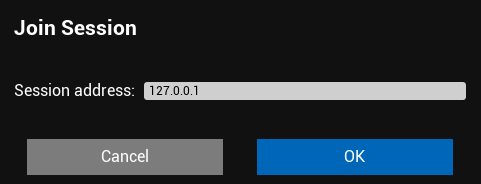
Start Skyreal VR and join a session
-
Set the server IP address
Troubleshooting
If you have conneciton problems, check the port in the settings